For iPhone and iPad · CarPlay in beta
See the weather before you drive into it.
Most weather apps show the weather where you are. SkyAhead shows the weather on the road ahead: now, at stops along the way, and when you arrive.
Free on the App Store for iPhone and iPad. Android is coming soon.
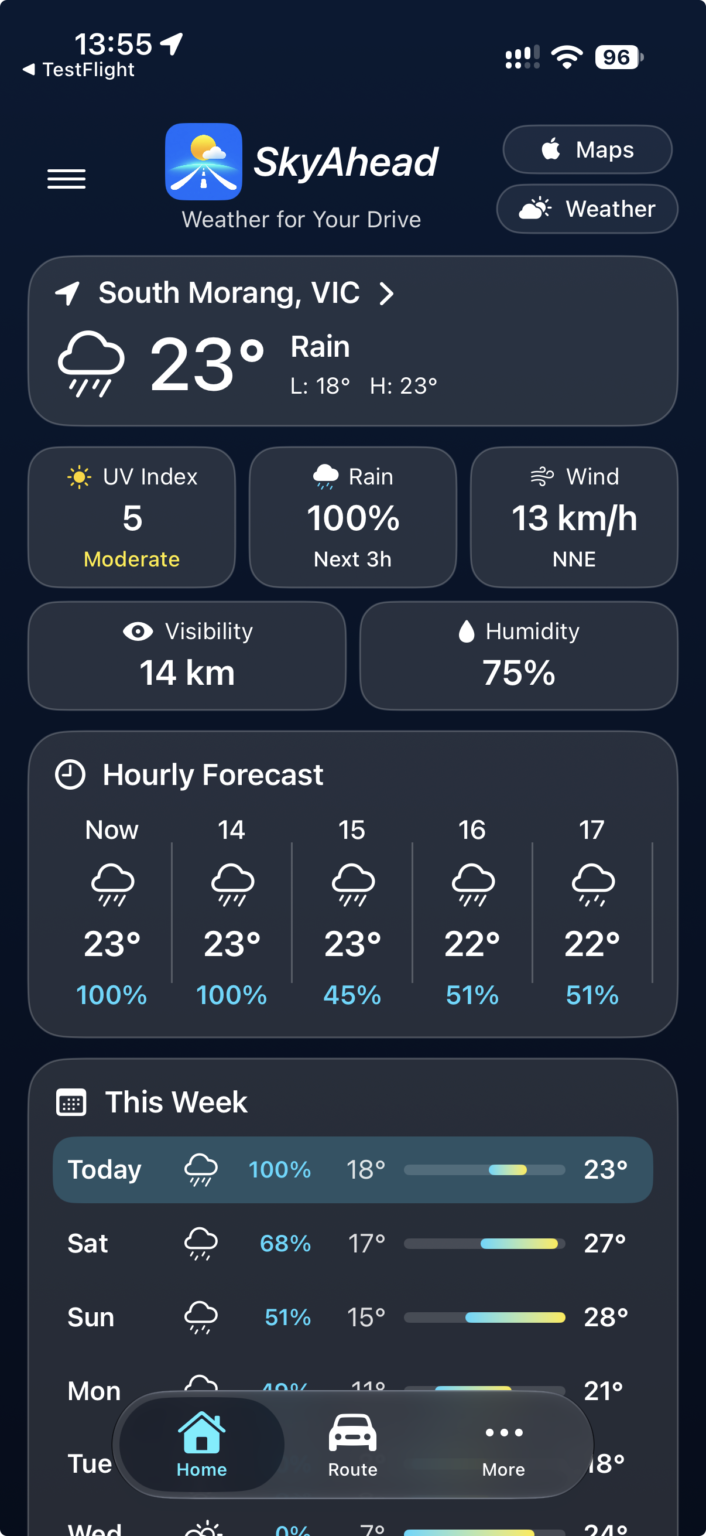
iPhone · Local weather in South Morang
How it works
Three steps. One quick glance.
- Pick a destination. Search for it, or share it from Apple Maps or Google Maps.
- SkyAhead plots the route. It checks the weather where you are, at points along the road and at your arrival time.
- Glance and go. See the rain chance and temperature at each stop, with the time you will get there.
Features
Know what’s ahead
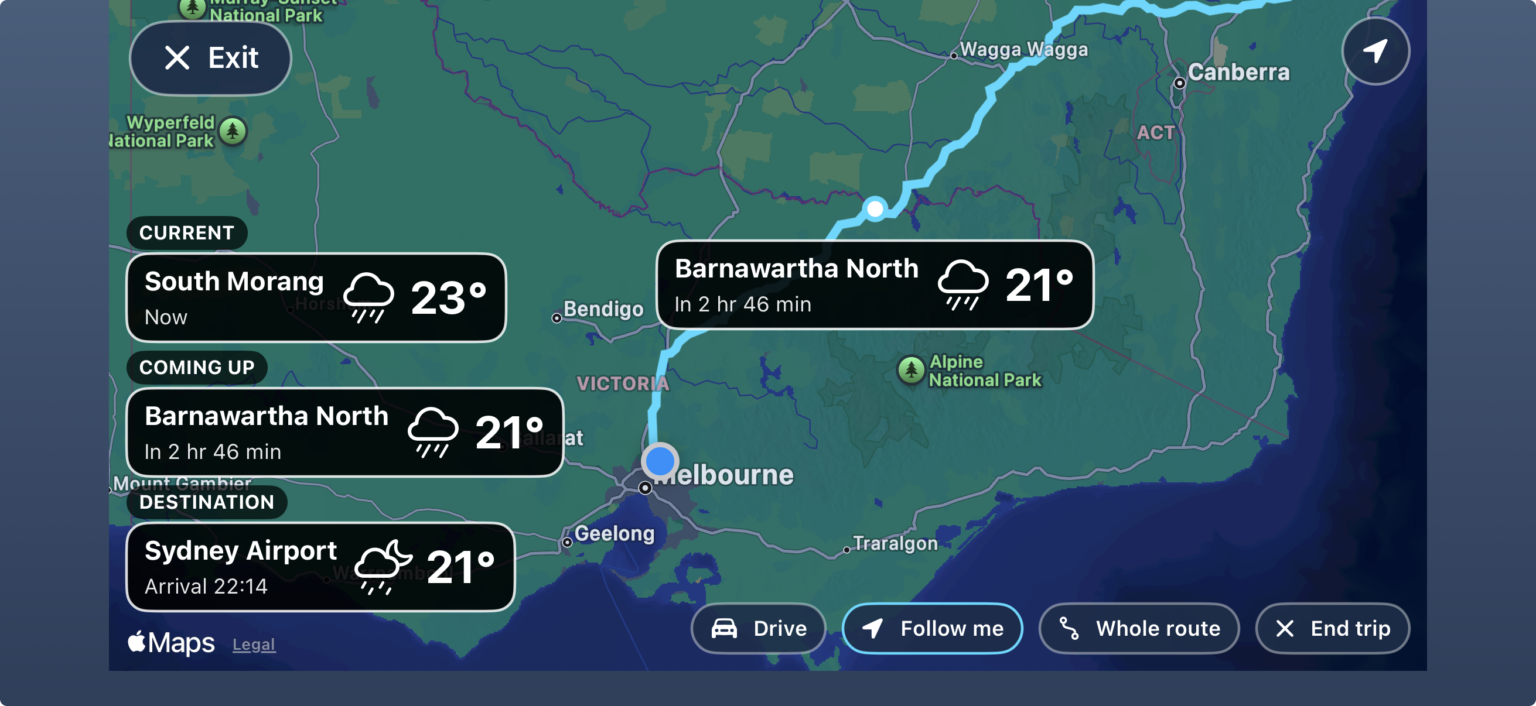
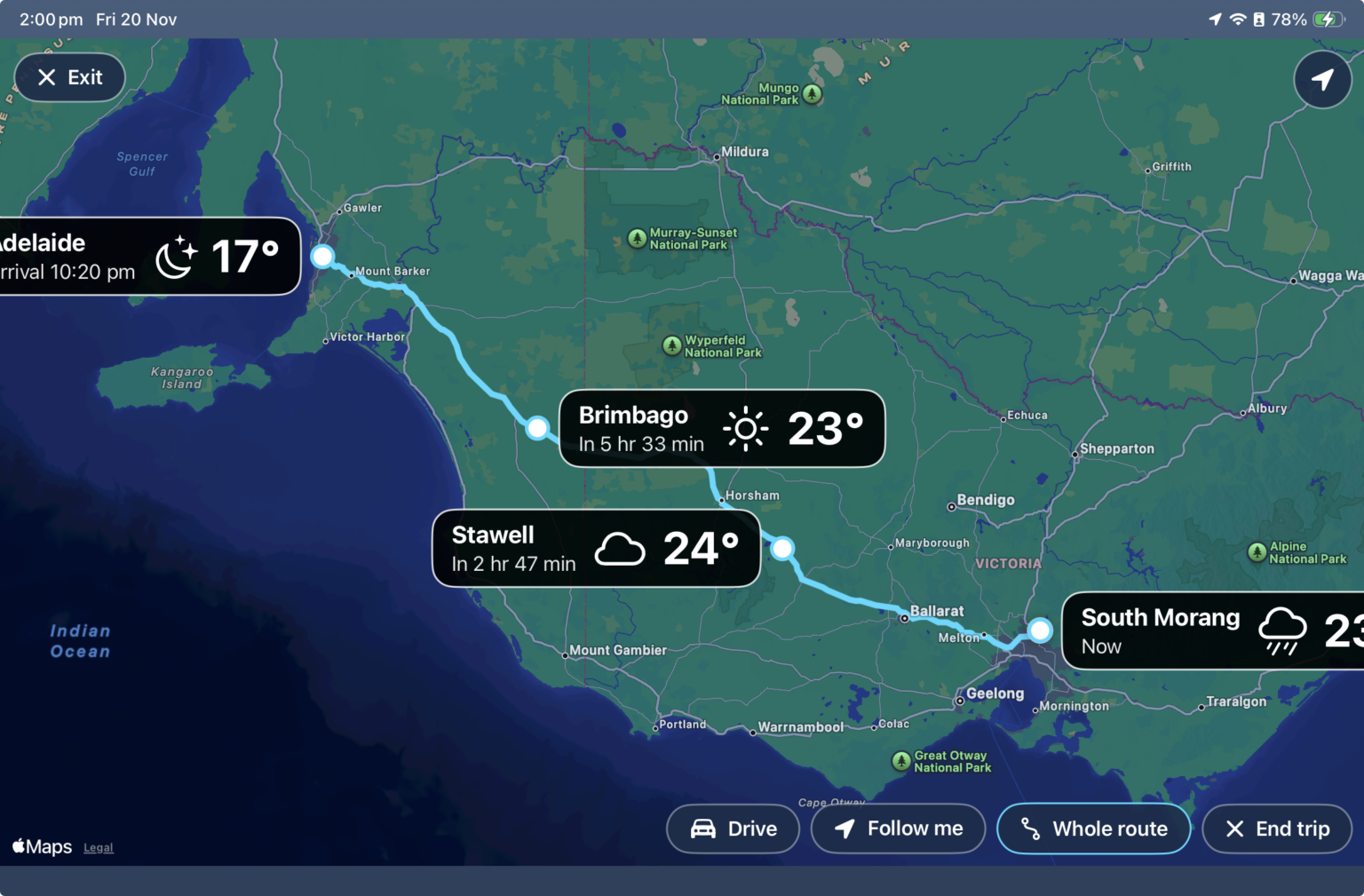
Weather along your route
Set a destination to see the weather now, at stops coming up and at your destination. Each stop shows how long until you get there.
Whole route and Follow me
Zoom out to see the whole trip, or keep the map on your position with weather for here, coming up and your destination.
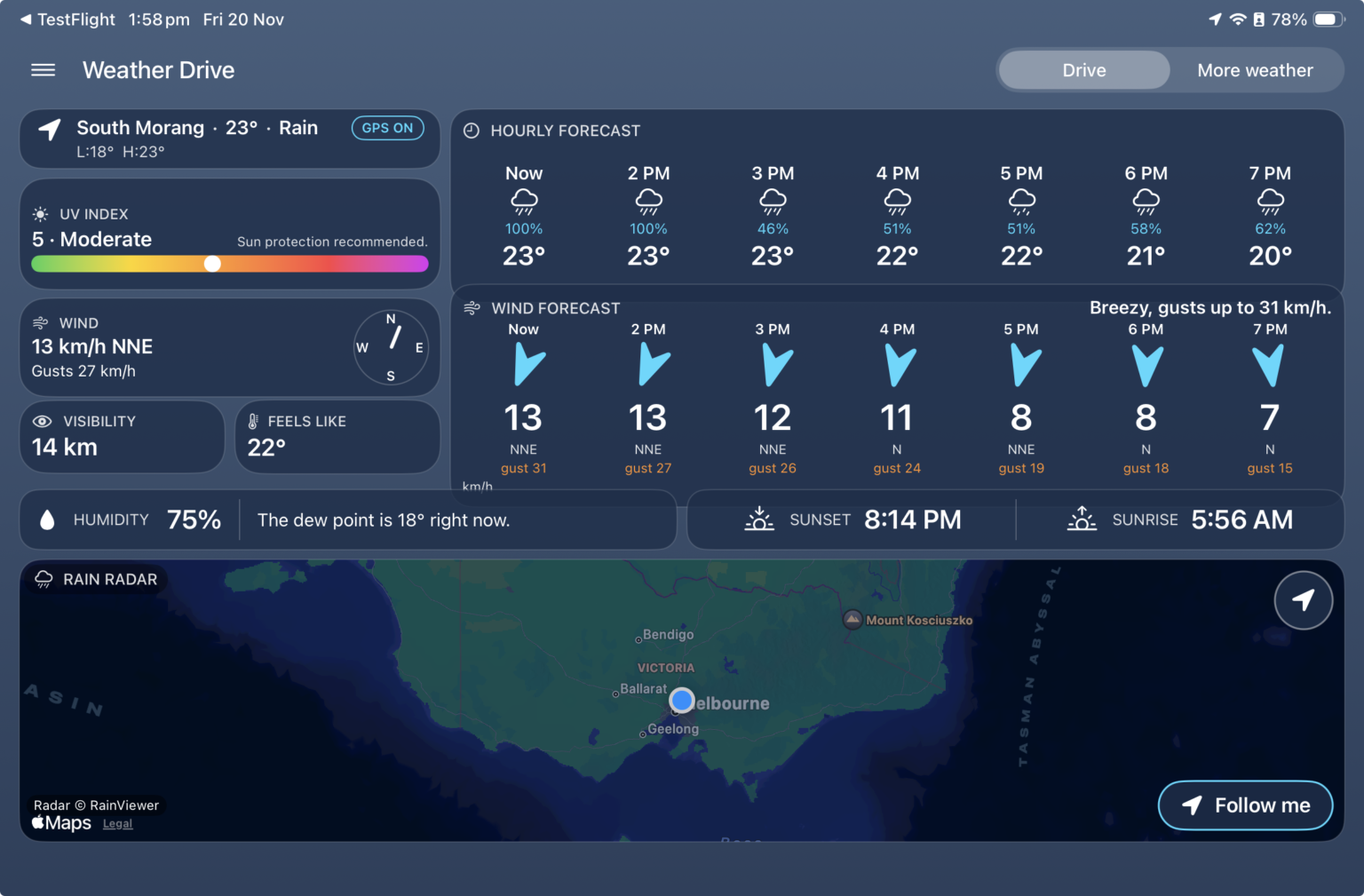
Local weather and rain radar
No destination? See current conditions, high and low, and nearby rain on the radar.
Hourly and 7-day forecasts
Compare temperatures and rain chances hour by hour, or look ahead at the week with daily highs and lows.
Wind, gusts and visibility
See wind speed, direction and gusts by the hour, plus visibility, humidity, feels-like and dew point.
UV and daylight
Check the UV index in plain English, with sun advice, plus sunrise and sunset times.
Weather alerts
Get told when rain is starting or easing, when strong wind is ahead, and about your route. Checked in the background.
Saved places
Save cities and switch between them. A pin shows when you are viewing a saved city, not your GPS location.
Home Screen widgets
The “Weather ahead” widget shows the weather now, at the next stop and at your destination. Small, medium and large.
App screens
Explore the app
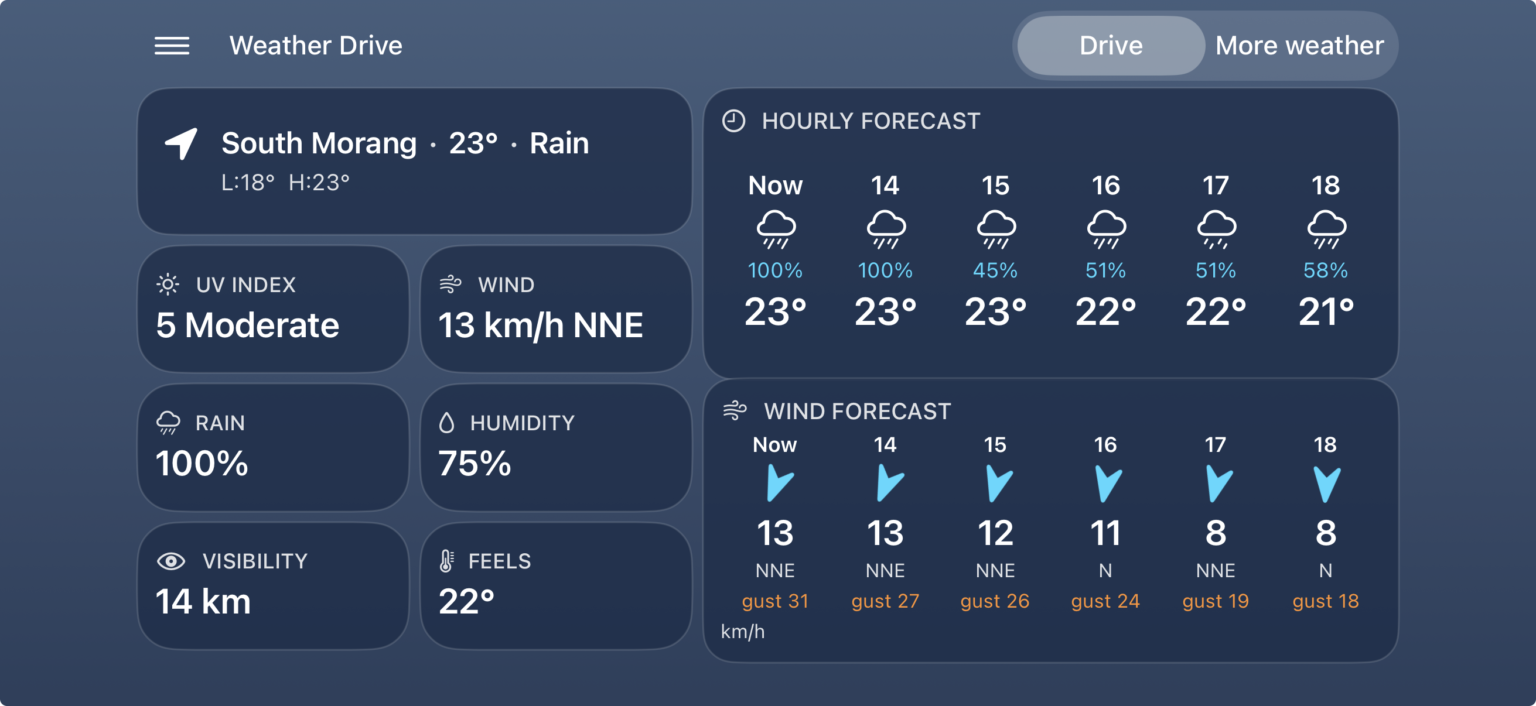
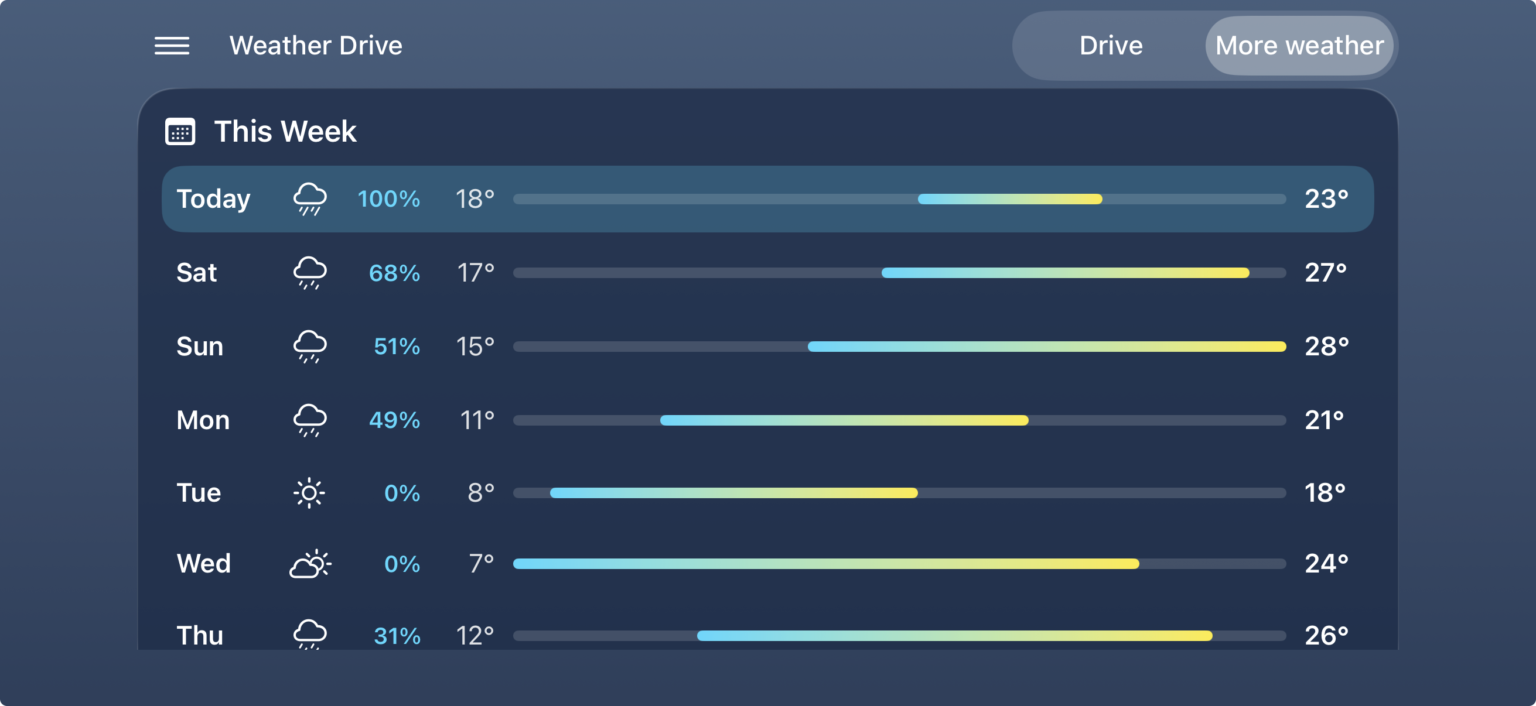
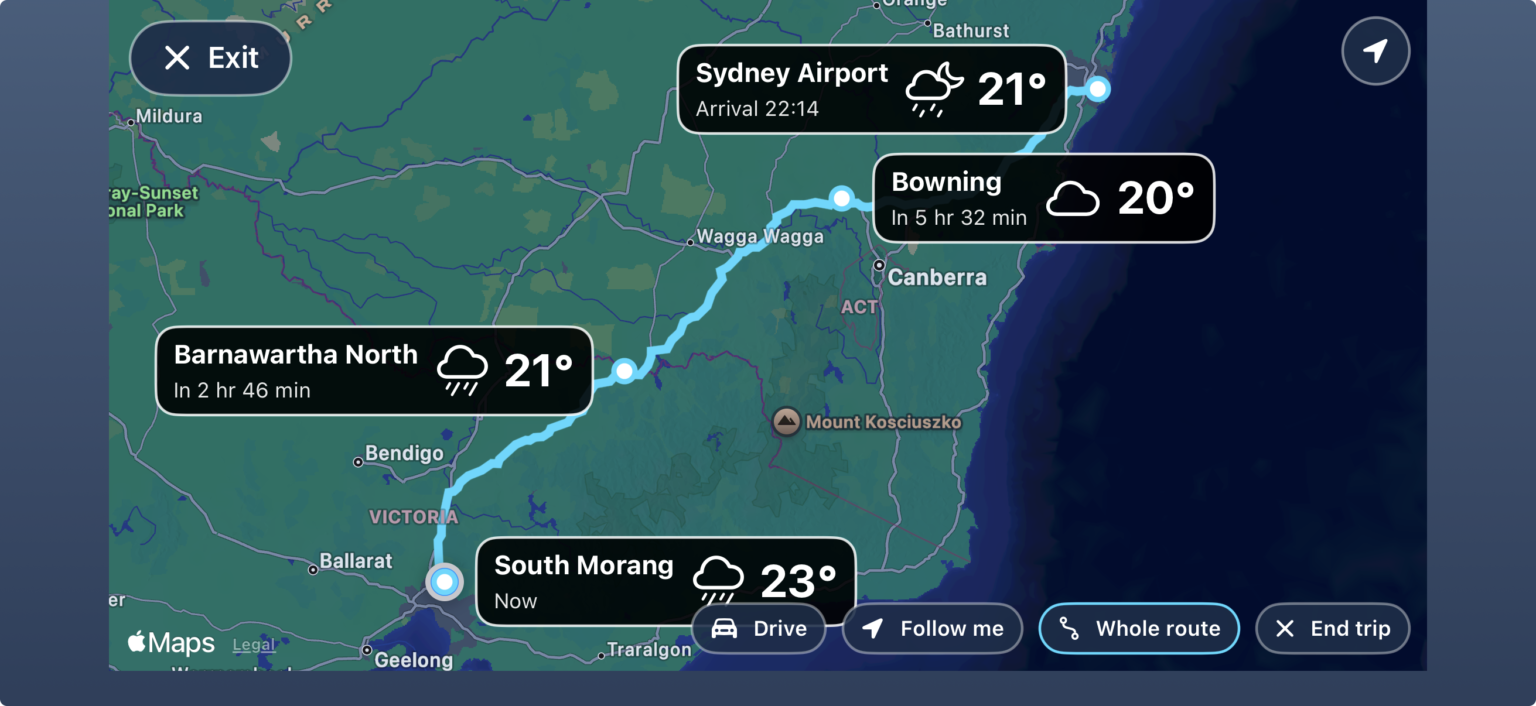
Weather shown in screenshots is an example only.
iPhone + iPad
Share iPhone GPS with your iPad
SkyAhead can use your iPhone’s GPS position to show where you are on your iPad during the drive.
Use the bigger iPad screen to follow your position, check nearby rain and see the weather along your route, all together.
iPad · Drive dashboard with GPS on
CarPlay · in beta
Simple weather on your car screen
SkyAhead on CarPlay gives you four easy tabs:
- Route: stops ahead and arrival, when a destination is set.
- Now: temperature, high and low, rain, wind and gusts, feels-like, humidity, UV, sunrise and sunset.
- Hours: the next 9 hours.
- Week: the next 7 days.
CarPlay shows a simple list screen. Apple does not allow weather apps a full custom dashboard on the car screen.
Where you can use SkyAhead
| iPhone | On the App Store |
| iPad | On the App Store |
| Apple CarPlay | In beta |
| Android phone and tablet | Coming soon |
| Android Auto | Coming soon |
Pricing
SkyAhead Pro
Try it free for 30 days. Then choose monthly or yearly. Cancel any time.
Yearly
about $15 / year
Save 37% compared with paying monthly.
30-day free trial
Monthly
from about $2 / month
Pay month by month.
30-day free trial
Includes weather ahead on your whole route, rain and wind alerts, widgets, CarPlay and sharing from Apple Maps or Google Maps. No login needed. Prices may vary by country. Billing by Apple or Google Play. Subscriptions renew automatically unless cancelled at least 24 hours before the trial or renewal ends. Full pricing details
About
SkyAhead is a VRTU product
SkyAhead is made by VRTU for people who drive long distances and want to know what the weather is doing up ahead. App created and designed by NuDesign.com.au.
Get SkyAhead today
SkyAhead is free on the App Store for iPhone and iPad. Your feedback helps shape the app.
Set your trip before you drive. Always drive to the conditions and follow road rules. SkyAhead forecasts are a guide only.